
How Zomato Made Its Restaurant Partner App Over 90% Faster
How Zomato optimized Android startup, rendering, memory, and background work to make its Restaurant Partner App significantly faster.
When you're running a restaurant, the Zomato Restaurant Partner App isn't just another app on your phone. Restaurant partners use it to handle incoming orders, manage operations, update menus, check customer feedback, and keep up with everything happening in their restaurant.
So when the app takes too long to become usable, even a few extra seconds can become frustrating. Zomato's Android engineering team wanted to improve exactly that.
The goal wasn't to rewrite the entire application or chase every possible optimization. Instead, the team took a more practical approach: look at where the app was spending time and resources, understand the return on investment of each improvement, and focus engineering effort where it mattered most.
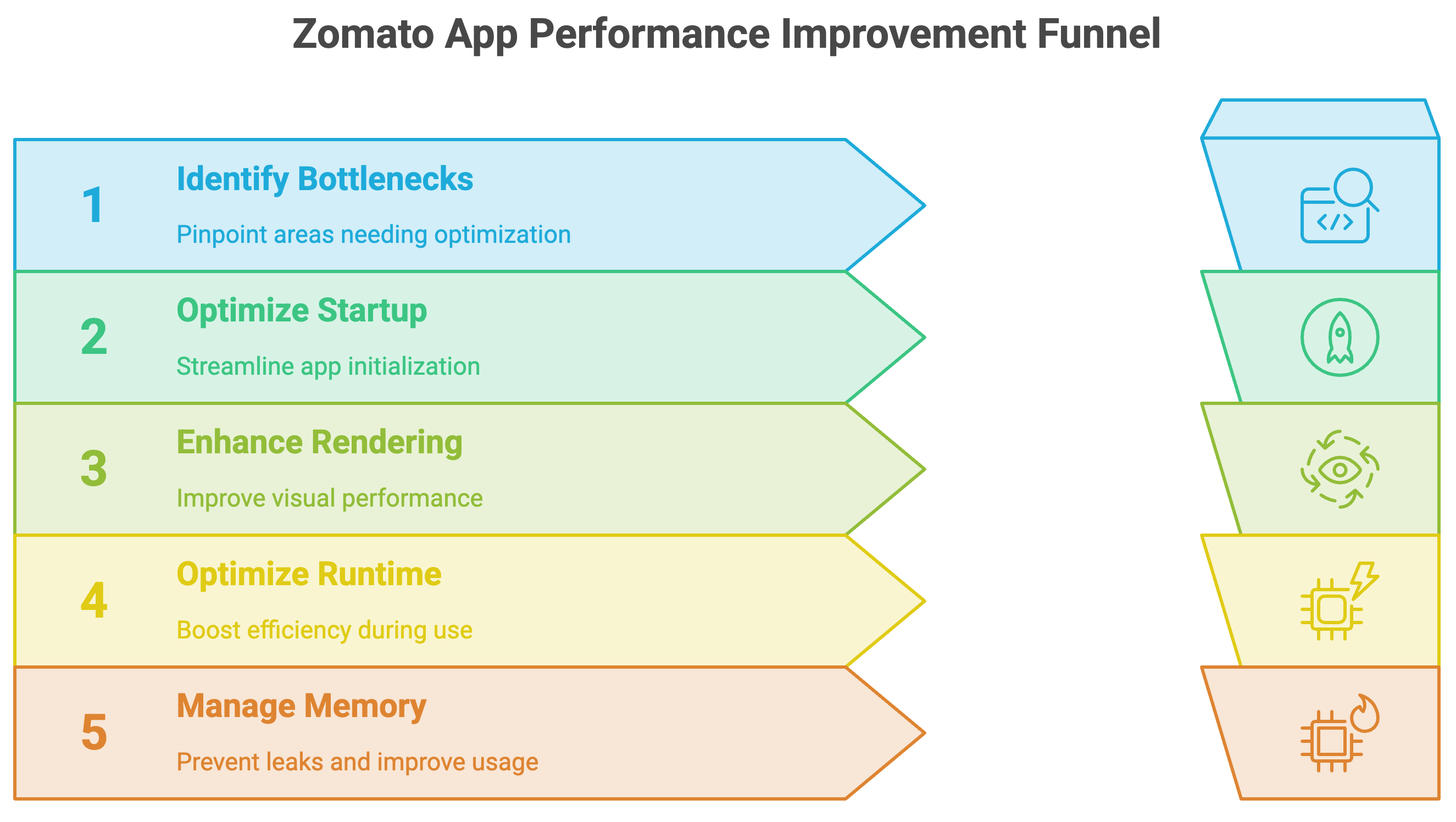
They eventually organized their work into seven areas, covering everything from app startup and rendering to profiling and memory leaks. And the results were significant. But the interesting part is how they got there. Let’s discover in this blog today.
It Started With App Startup
One of the first areas Zomato looked at was the initial load time of the app. In Android, the Application class is instantiated before other application components when the app starts. It provides a place to initialize resources and maintain global application state. That sounds straightforward. But in a large codebase where multiple teams are building different parts of the same application, the Application class can gradually become a place where more and more things get initialized.
And every piece of work added to startup has the potential to increase the time before the application becomes usable. So Zomato started examining what actually needed to happen during startup.
One of the changes was to defer non-critical initializations. Several feature configurations and third-party SDK initializations were removed from main-thread execution and deferred based on when they were actually required. Zomato also made use of Android's dynamic delivery capabilities where needed.
The idea was simple: not everything needs to happen immediately when the app starts.
The team also looked at how background work was handled during setup. They leveraged ExecutorService to cache threads in a thread pool and assigned maximum priority to those threads so that the device would prioritize tasks related to the startup process.
Then they looked at another familiar part of the startup experience: the splash screen. Instead of treating the splash screen as just something the user sees while the application loads, the team walked through what was actually happening during that period. They found delays and time-consuming configuration operations that could either be avoided or cached based on their requirements.
Removing those unnecessary delays reduced the overall time required for the app to become operational. But startup wasn't the only bottleneck.
Making the UI Do Less Work
Once the app was starting faster, Zomato also looked at what happened after startup, particularly how efficiently the UI rendered content. A major focus was list rendering. For this, the team used RecyclerView prefetching. The idea behind prefetching is to load items that are likely to become visible soon, before the user actually needs them.
Zomato also took advantage of something interesting about the UI thread. When the UI thread has idle time between frames, that time can be used to prepare work that will be needed later. The team also used ViewStub to delay the inflation of complex or resource-intensive layouts until they were actually needed. Instead of creating those layouts immediately, they could be loaded on demand.
This helped conserve resources and memory and contributed to faster initial app launches and smoother interactions. So the optimization wasn't just about making individual operations faster. It was also about avoiding work until that work was actually needed.
Then They Started Looking for What Was Actually Slow
Optimizing a large Android application isn't something you can reliably do just by looking at the code and guessing what might be slow. Zomato used Android Studio Profiler to examine CPU activity, memory usage, and traces. Through this profiling, the team identified inefficiencies in views and memory utilization.
They then worked on improving their caching mechanism and maximizing view reuse wherever possible. This also led them to another common Android problem: memory leaks. Zomato integrated LeakCanary to identify memory leaks in the application. Memory leaks can cause problems such as sluggish rendering and ANRs, or Application Not Responding issues.
So instead of treating performance as one isolated metric, the team looked across different parts of the application that could affect the experience.
Startup
Rendering
CPU usage
Memory
Caching
Leaks
Each improvement addressed a different source of overhead.
Seven Areas, One Performance Push
What makes Zomato's approach interesting is that there wasn't one magic optimization responsible for the improvement.
The team worked across seven areas:
Improving initial app load time
Deferring non-critical initialization
Using
ExecutorServicefor startup-related background workRemoving unnecessary splash-screen delays
Improving rendering performance with RecyclerView prefetching and ViewStub
Profiling CPU, memory, and traces
Finding and fixing memory leaks with LeakCanary
Each one targeted a different part of the application's performance. And the team evaluated these changes based on return on investment and engineering effort, rather than trying to optimize everything indiscriminately. That eventually showed up in the numbers.
The Results
After implementing these optimizations, Zomato reported a major improvement in the Restaurant Partner App's performance.
The cold start time metric dropped from 27% in February to 1.4%.
Frozen frame occurrences also decreased from 3.72% to 1.99%.
The result was a faster experience for restaurant partners, giving them quicker access to orders, menu updates, customer feedback, and other important information. And the impact wasn't limited to performance metrics.
Zomato reported that, over roughly four months, the app's Google Play Store rating increased from 4.1 to 4.8. The engineering team attributed the improvements to the combined performance work across startup, rendering, memory, and profiling.
The Bigger Lesson
The interesting part of this story isn't that Zomato found one clever Android trick. It was the way the team approached performance optimization. Instead of assuming that one part of the application was responsible for the slowdown, they examined the application from multiple angles.
What happens when the app starts?
Which work actually needs to happen immediately?
Can some initialization be deferred?
Can UI work be prepared before the user needs it?
Are expensive layouts being created unnecessarily?
Where is CPU and memory being spent?
Are views being reused effectively?
Are memory leaks affecting the experience?
By systematically examining these areas, Zomato was able to improve both startup and runtime performance without relying on a single optimization. And that's often what performance engineering looks like in a large application. Not one huge change. A series of targeted improvements, each removing a little more unnecessary work.
Key Takeaways
Zomato improved the performance of its Restaurant Partner App across seven areas.
Non-critical feature and third-party SDK initialization was deferred.
ExecutorServicewas used to manage startup-related background work.Unnecessary splash-screen delays were removed.
RecyclerView prefetching and ViewStub were used to improve rendering and defer expensive layout inflation.
Android Studio Profiler helped identify CPU, memory, and view-related inefficiencies.
LeakCanary was integrated to identify memory leaks.
Cold start time dropped from 27% to 1.4%.
Frozen frame occurrences dropped from 3.72% to 1.99%.
The Google Play Store rating increased from 4.1 to 4.8 over roughly four months.
Official blog from Zomato: How we increased our Zomato Restaurant Partner App speed by over 90%.
By now, you must have had a clear idea of, How Zomato Made Its Restaurant Partner App Over 90% Faster? In a nutshell, Zomato improved its Restaurant Partner App by systematically optimizing startup, rendering, memory, and background work across seven areas. The result was a significant improvement in app performance and stability.
Congratulations! You've just advanced another step in your tech journey. Keep progressing!